 Deynbook
Start with checked balances, not every old page
Moving a notebook into a digital debt book is a good time to check what customers actually owe. Do not rush to copy every line before deciding how you will start. An old notebook may contain paid debts, crossed-out entries and balances that need clarification.
Choose a starting date. For each customer, calculate the remaining balance at that date from your existing debts and payments. Compare uncertain balances with payment evidence and, where necessary, with the customer.
Prepare a simple transfer list
- Customer name and contact details where useful.
- Checked remaining balance at the starting date.
- A reference to the relevant notebook page or supporting record.
- A note of any disputed or uncertain amount that needs checking first.
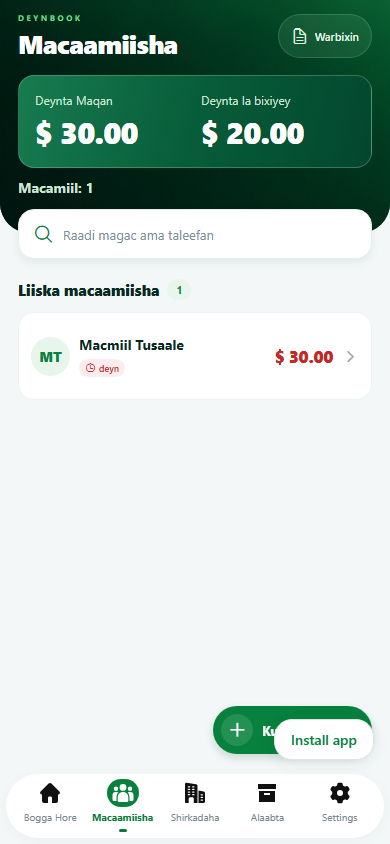
Keep customer debts separate from debts your business owes suppliers. In Deynbook, customers belong in Macaamiisha; suppliers belong in Shirkadaha.
For example: Customer A owes $50, Customer B has fully paid, and Customer C owes $15. Your outstanding total is $65. A fully paid customer should not receive a new opening debt just because an old sale appears in the notebook.
Choose one way to carry the balance forward
For a simple starting point, record each checked outstanding amount as an opening debt. Add a note such as “Opening balance checked against notebook page 12” and use your chosen starting date.
- Add or select the customer in Macaamiisha.
- Use Ku dar deyn to enter the checked opening balance.
- Check the customer’s name, amount, date and note before saving.
- Review the saved balance against your transfer list.
This is a manual process, not an automatic notebook import. You can instead enter complete historical transactions if you need that history, but do not enter both those same historical debts and an opening balance that already includes them. That counts the debt twice.
Check totals before using the new book
Compare the number of customers with outstanding debts and each balance with your transfer list. In the example, Customer A should show $50 and Customer C $15, for a total of $65.
Keep the notebook as a reference for older transactions. An opening balance carries the amount forward; it does not recreate the history of all earlier sales and payments. If an amount is uncertain, resolve it before treating it as a confirmed balance.
Use one main record after the starting date
Once the balances match, enter new debts and payments in the digital book. If you keep a paper backup, make clear which record is the main one and reconcile the two regularly. Avoid recording a payment twice when copying between systems.
The Android app supports offline recording after sign-in. The web app needs internet to read and save records. Check getting-started help and trial and subscription details before moving your working records.
Next, learn how to record a partial payment, or open Deynbook on the web.